Understanding the Integration of ProSight with The Things Stack and ChirpStack
Connecting devices and managing data efficiently are key challenges in the Internet of Things (IoT) landscape. ProSight, a platform designed to simplify IoT device management and data visualization, works closely with popular LoRaWAN network servers like The Things Stack and ChirpStack. This integration allows users to build scalable, reliable IoT solutions with ease. This post explores how ProSight works with these two platforms, highlighting practical examples and the benefits of combining their capabilities.
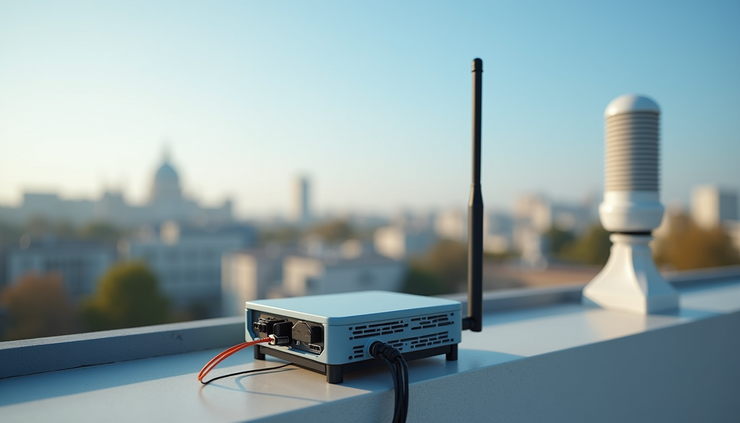
How ProSight Connects with The Things Stack
The Things Stack (TTS) is a widely used open-source LoRaWAN network server that manages device connectivity, security, and data routing. ProSight integrates with TTS by subscribing to device uplinks and downlinks through the Application Programming Interface (API) or MQTT protocol.
Device Management: ProSight imports device profiles and metadata from TTS, allowing users to monitor device status and configure settings directly.
Data Flow: When a sensor sends data via LoRaWAN, TTS receives it and forwards the payload to ProSight. ProSight then decodes, visualizes, and stores this data for analysis.
Command Control: Users can send commands or configuration updates from ProSight back to devices through TTS, enabling remote management.
For example, a smart agriculture project using soil moisture sensors can rely on TTS to handle the network layer, while ProSight provides a dashboard to track moisture levels and trigger irrigation alerts.
How ProSight Works with ChirpStack
ChirpStack is another open-source LoRaWAN network server known for its modular design and flexibility. ProSight connects to ChirpStack similarly, using MQTT or REST APIs to exchange data and commands.
Flexible Integration: ChirpStack’s modular architecture allows ProSight to connect to specific components such as the Application Server or Network Server, depending on the use case.
Real-time Data Processing: ProSight receives sensor data in real time, enabling immediate visualization and alerting.
Device Configuration: Through ChirpStack, ProSight can update device settings like data rates or transmission intervals.
A practical use case involves a smart city deployment where air quality sensors send data to ChirpStack. ProSight aggregates this data, visualizes pollution trends, and notifies city officials when thresholds are exceeded.

Key Benefits of Using ProSight with The Things Stack and ChirpStack
Combining ProSight with these network servers offers several advantages:
Simplified Data Visualization
ProSight transforms raw sensor data into clear charts, maps, and reports, making it easier to understand trends and anomalies.
Centralized Device Management
Users can manage devices from a single interface, regardless of whether they connect through The Things Stack or ChirpStack.
Improved Scalability
Both TTS and ChirpStack support large-scale deployments. ProSight complements this by handling data storage and user access efficiently.
Custom Alerts and Automation
ProSight allows users to set rules that trigger notifications or actions based on sensor data, enhancing responsiveness.
Open-Source Compatibility
Since both network servers are open source, ProSight’s integration supports customization and transparency, which benefits developers and organizations.
Practical Steps to Set Up ProSight with These Platforms
Setting up ProSight with The Things Stack or ChirpStack involves several steps:
Register Devices on the Network Server
Add your LoRaWAN devices to TTS or ChirpStack, ensuring correct device profiles and keys.
Configure Data Forwarding
Set up MQTT or API endpoints in the network server to forward device uplinks to ProSight.
Connect ProSight to the Network Server
In ProSight, configure the connection settings to subscribe to the data streams.
Map Device Data
Define how ProSight should decode and display the incoming payloads.
Set Alerts and Dashboards
Create visualizations and alert rules to monitor device health and sensor readings.
This process can be completed within a few hours for small deployments, making it accessible for developers and IoT enthusiasts.
Use Cases Demonstrating the Integration
Environmental Monitoring
Sensors deployed in forests or urban areas send temperature, humidity, and pollution data. The Things Stack manages the network, while ProSight visualizes trends and triggers alerts for unusual conditions.
Asset Tracking
Devices attached to vehicles or equipment report location and status. ChirpStack handles connectivity, and ProSight provides real-time maps and reports for fleet managers.
Smart Buildings
Sensors monitor energy use and occupancy. ProSight aggregates data from devices connected via TTS or ChirpStack, helping facility managers optimize resource use.
Tips for Getting the Most from ProSight and LoRaWAN Network Servers
Ensure Accurate Payload Decoding
Customize ProSight’s payload parsers to match your device data formats for precise visualization.
Use Secure Connections
Protect data by enabling encryption and secure API keys between ProSight and the network servers.
Monitor Network Performance
Track metrics like packet loss and latency in TTS or ChirpStack to maintain reliable communication.
Leverage Automation
Use ProSight’s alerting features to automate responses, such as activating fans or sending maintenance requests.
Test with Small Deployments
Start with a limited number of devices to validate integration before scaling up.
By following these tips, users can build efficient and manageable IoT systems.


.png)
Comments