Mastering Gateway Placement for Optimal ProSight System Performance
Effective gateway placement plays a crucial role in ensuring the ProSight system delivers reliable, fast, and consistent performance. Whether you are deploying ProSight in a large industrial facility, a commercial building, or a smart home environment, the location of gateways can make or break the system’s efficiency. This post explores best practices for gateway placement, helping you avoid common pitfalls and maximize your ProSight system’s capabilities.
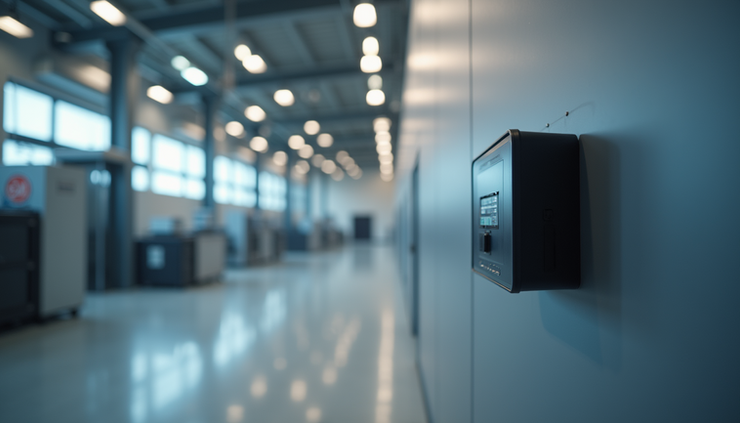
Understanding the Role of Gateways in ProSight Systems
Gateways act as the communication bridge between sensors, devices, and the central ProSight platform. They collect data from connected devices and transmit it to the cloud or local servers for processing. Because gateways handle large volumes of data and manage network traffic, their placement directly impacts:
Signal strength and coverage
Data transmission speed
System reliability and uptime
Poor placement can lead to weak signals, data loss, or delays, which reduce the overall effectiveness of the ProSight system.
Key Factors to Consider When Placing Gateways
1. Signal Coverage and Range
ProSight gateways typically use wireless protocols such as Wi-Fi, Zigbee, or proprietary radio frequencies. Each has a limited range affected by obstacles and interference. To ensure strong coverage:
Place gateways centrally within the area they serve to minimize distance to devices.
Avoid physical barriers like thick walls, metal structures, or large machinery that block signals.
Use site surveys or signal mapping tools to identify dead zones and weak spots.
2. Interference Sources
Electronic devices, other wireless networks, and even building materials can interfere with gateway signals. Common interference sources include:
Microwave ovens and cordless phones
Bluetooth devices and Wi-Fi routers on overlapping channels
Metal shelving, reinforced concrete, and elevators
Position gateways away from these sources to reduce signal degradation.
3. Power and Network Access
Gateways require reliable power and network connectivity. When selecting locations:
Ensure access to stable power outlets or consider battery backup options.
Confirm wired network connections if the gateway supports Ethernet, or verify strong Wi-Fi signals for wireless backhaul.
Avoid locations prone to moisture, dust, or extreme temperatures that could damage equipment.
Practical Tips for Gateway Placement
Use Multiple Gateways for Large or Complex Spaces
In large facilities or buildings with multiple floors, a single gateway often cannot cover the entire area. Deploy multiple gateways to:
Provide overlapping coverage zones
Balance network load and reduce latency
Enable seamless handoff between gateways for mobile devices
Elevate Gateways for Better Line of Sight
Mount gateways on walls or ceilings at a height that avoids obstructions. Elevated placement improves line of sight to devices and reduces interference from furniture or equipment.
Test and Adjust Placement
After initial installation, conduct thorough testing:
Measure signal strength at various points
Monitor data transmission rates and error rates
Adjust gateway positions based on test results to optimize coverage
Document Gateway Locations
Keep detailed records of gateway placements, including floor plans and signal maps. This documentation helps with future troubleshooting and system expansion.

Examples of Gateway Placement in Different Environments
Industrial Facility
In a factory setting, gateways should be placed away from heavy machinery and metal structures that cause interference. Mounting gateways on elevated platforms or walls near the center of production lines ensures strong signals to sensors monitoring equipment.
Office Building
For multi-floor office buildings, place gateways on each floor near the center of the workspace. Avoid placing gateways inside server rooms or near large metal filing cabinets. Use wired Ethernet connections for gateways when possible to improve stability.
Smart Home
In residential settings, place gateways in open areas such as living rooms or hallways. Avoid basements or enclosed closets. Position gateways away from microwaves and cordless phones to reduce interference.
Common Mistakes to Avoid
Placing gateways too close to each other, causing channel overlap and interference
Installing gateways near large metal objects or thick walls without testing signal strength
Ignoring power and network requirements, leading to unexpected outages
Failing to plan for future expansion or changes in the environment


.png)
Comments